
How we made a SPINNING LOGO ICON
Recently we worked on a LOGO project for a Brand and we created few logo concepts and finally they chose one concept. This particular logo icon we created was one of the concept we presented them but not got selected. So we are here to share with you all like how to create the symbol steps by steps.
Step 1: Draw 8 line Vertically and Horizontally make sure all the lines are equally aligned

Step 2: Make a circle touching 1st and 8th row and another one touching 2nd and 7th row

Step 3: Again make a Circle touching 2nd and 7th row and another one touching 3rd and 6th row

Step 4: Make the two green circles Vertical Align Bottom and copy the same two green circle and Vertical Align Top

Step 5: Make a Small Circle at the centre of the grid and move one step above
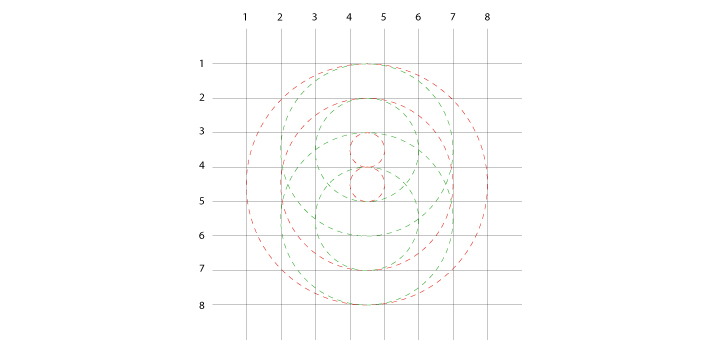
Step 6: Now draw a line and centralise between 7th and 8th row. Copy-Paste the Largest Circle and Align with the new line and drag the circle to the right make sure the circle touches the 3rd,5th row and 2nd column

Step 7: Now take out the circles from the grid and do Live Paint Bucket and fill this part like in the image

Step 8: Copy Paste the same icon and do Reflect Horizontally and Vertically and align to the circle

And this is the Final Outcome

Spinning Logo.